 The Food Safety App
The SFBB allergen chart
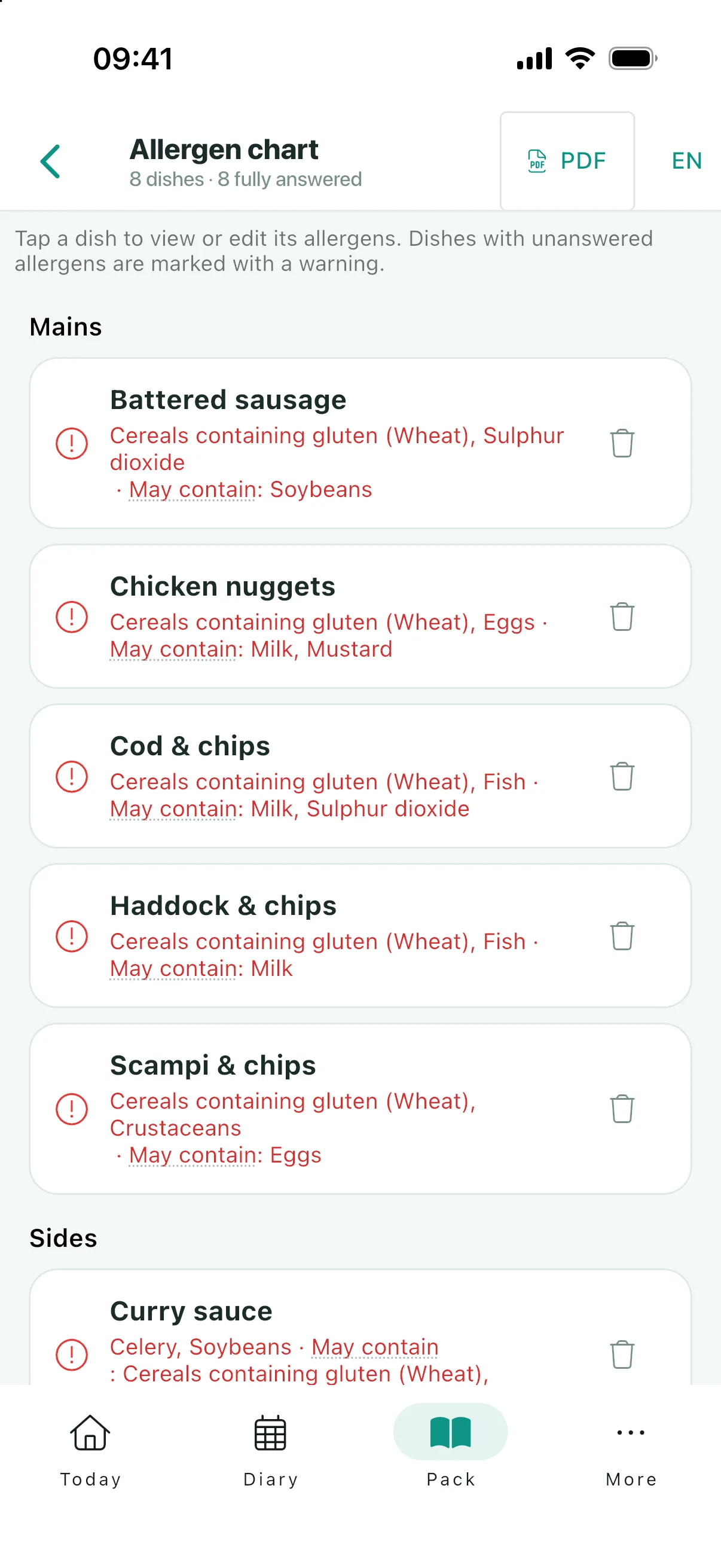
A grid: your dishes down the side, the fourteen allergens across the top. It is the document a customer’s safety rests on, and the one most likely to be out of date.


Free to use. No ads, no paywalls.
Every dish you sell, every allergen it contains. The chart exists so that when someone asks whether the soup has celery in it, the answer comes off a document rather than out of somebody’s memory of a recipe they did not write.
It is also the record an inspector will test by picking a dish at random and asking.
Dishes down, allergens across
The FSA chart is a wide grid, which is why it prints A3 landscape while the rest of the pack is A4. The app keeps the same column order as the official form, so a chart printed from the app and one filled in by hand read identically.
Adding dishes is the slow part on paper. The app can take a menu and pull the dish names out of it to save the typing, but it deliberately imports names only. Nothing guesses what is in your food.
The fourteen statutory allergens
In the order the FSA chart lists them:
- Celery
- Cereals containing gluten
- Crustaceans
- Eggs
- Fish
- Lupin
- Milk
- Molluscs
- Mustard
- Nuts
- Peanuts
- Sesame seeds
- Soya
- Sulphur dioxide
Nuts and peanuts are separate columns because they are separate allergens. Someone allergic to peanuts may be fine with almonds, and the reverse.
Why "may contain" is its own answer
Each cell has three possible answers rather than two: yes, no, and may contain. The third is not a hedge. It is a term of art meaning there is a real risk of cross-contamination you cannot rule out, and it must not be flattened into either of the others.
Flatten it to "no" and you tell an allergic customer the food is safe when it might not be. Flatten it to "yes" and you rule out a dish they could have eaten, which sounds harmless until it is every dish on the menu and the chart stops being usable.
The app also keeps "not yet answered" separate from "no". A blank cell means nobody has decided, and a chart that showed those as "no" would be actively dangerous.
Keeping it current
A chart goes out of date quietly: a supplier changes a recipe, a chef swaps an ingredient, a special goes on the board. None of those events announce themselves to a laminated sheet in a drawer.
This is why the four-weekly review asks about allergen information by name. On a phone the chart changes in seconds and everybody on your team sees the current version, rather than the copy that happens to be nearest.
Showing it to your customers
The chart in your pack is private to your team. If you want to, you can publish a customer-facing copy of it to your listing, where anyone who looks your business up in the app can read it before they order. It is one button, it is optional, and "Unpublish" takes it down again.
Publishing carries only your finished dishes. A dish with any of the fourteen still unanswered is left off the published copy rather than going out with gaps in it, so nothing a customer reads has a blank in it for them to misread. If no dish is finished yet, the app says so instead of publishing an empty chart.
The published copy is a snapshot, which is the part worth knowing: editing your own chart changes nothing your customers see until you publish again.
What they read is your dishes and your answers, nothing else. No names, nothing about who on your team filled it in. Above the list sits a standing note telling them to always tell staff about any allergies before ordering, with the date you published, and if you published while some dishes were still unanswered it says that too. They are your answers throughout, presented as yours.
Common questions
How many allergens have to be declared?
Fourteen, set in law: celery, cereals containing gluten, crustaceans, eggs, fish, lupin, milk, molluscs, mustard, nuts, peanuts, sesame seeds, soya and sulphur dioxide.
What does "may contain" mean on an allergen chart?
That there is a real risk of cross-contamination you cannot rule out. It is a separate answer from yes and from no, and should not be recorded as either.
Do I need an allergen chart if I have allergen labels?
Labelling covers pre-packed food. The chart covers what you make and serve, and is what the SFBB pack asks for.
Can the app work out the allergens in my dishes?
No, and deliberately so. It can import dish names from a menu to save typing, but what is in your food is your knowledge to record. Guessing would be the wrong kind of helpful.
Can customers see my allergen chart?
Only if you publish it. The chart you fill in is private to your team until you press publish, and then only your finished dishes go out. You can take it down again at any time.
Why does the chart print on A3?
Fourteen allergen columns plus dish names do not fit legibly on A4. The official FSA chart is landscape, and the app matches it.
Keep reading
One chart, current, on every phone in the kitchen
Free on iOS and Android, exports included.